Smart Home Electrical Requirements 2026: Complete Wiring & Panel Guide
Turning your home into a fully connected smart house requires more than downloading apps and buying gadgets. Behind every smart thermostat, automated lighting zone, and voice-controlled appliance sits an electrical system that must handle the extra load safely. In 2026, the average smart home runs 25-40 connected devices, and that number is climbing. A 200-amp panel, properly distributed circuits, and strategic low-voltage wiring are the backbone of a reliable smart home. This guide walks you through every electrical requirement, from panel capacity and dedicated circuits to structured wiring, surge protection, and NEC code compliance, so your smart home performs flawlessly without tripping breakers or creating fire hazards.
Panel Capacity: Why 200 Amps Is the New Minimum
The first question any electrician asks before a smart home retrofit is whether your panel can handle the load. Most homes built before 2000 have 100-amp or 150-amp panels. That was fine when the biggest electrical draw was a dryer and an oven. Today, a fully equipped smart home with an EV charger, heat pump, induction cooktop, and multiple smart systems can draw 150-180 amps during peak usage. A 200-amp panel is the practical minimum for a modern smart home, and homes with full electrification goals may even need a 320-amp or 400-amp service. The cost to upgrade from 100 amps to 200 amps typically runs $1,800-$3,500, including a new meter base, main breaker panel, and utility coordination. If your panel is already 200 amps, you still need to verify available capacity. Add up every breaker in the box. If you are using more than 80 percent of total capacity, you need either a sub-panel or a load management system. Smart electrical panels like the Span or Lumin can dynamically allocate power between circuits, avoiding the need for a full upgrade. These panels cost $4,000-$6,500 installed but pay for themselves by enabling EV charging, heat pump operation, and battery backup without a service upgrade. Check your panel label for the main breaker rating. If it says 100A or 150A, budget for an upgrade before starting any major smart home project. The NEC 2026 cycle encourages load calculations that account for EV ready circuits and heat pump loads, making panel capacity planning more important than ever. Talk to your electrician about future loads, not just what you are installing today, because adding capacity later costs two to three times more than doing it right the first time.
Dedicated Circuits for Smart Devices and Hubs
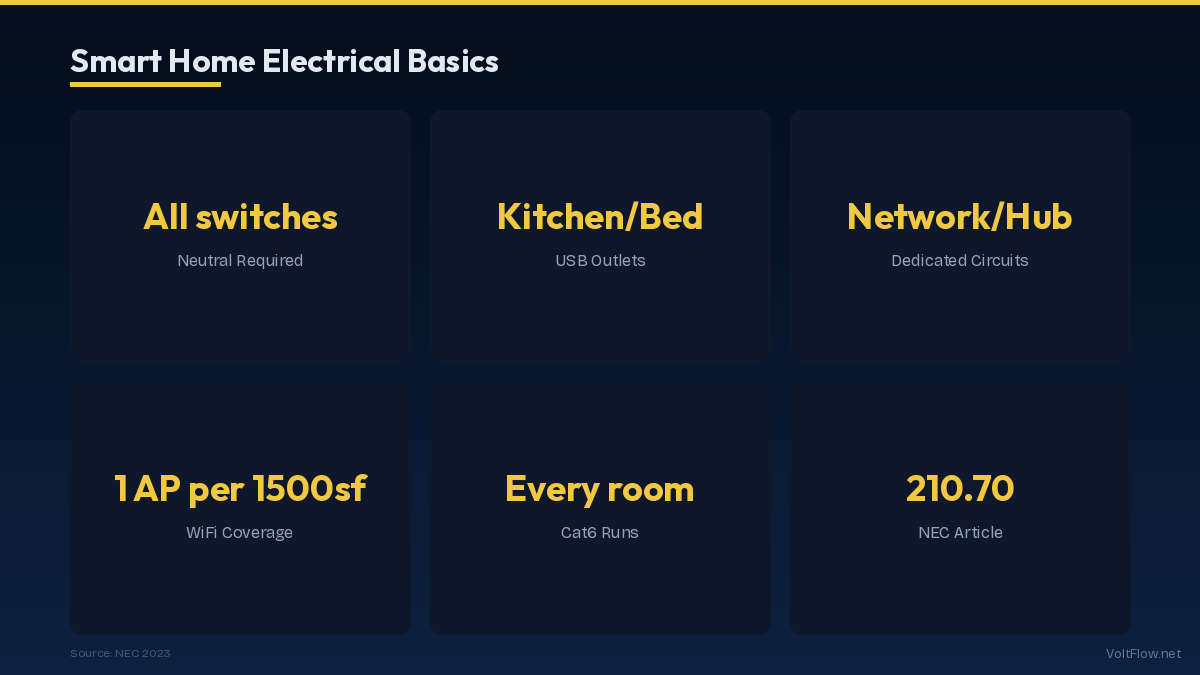
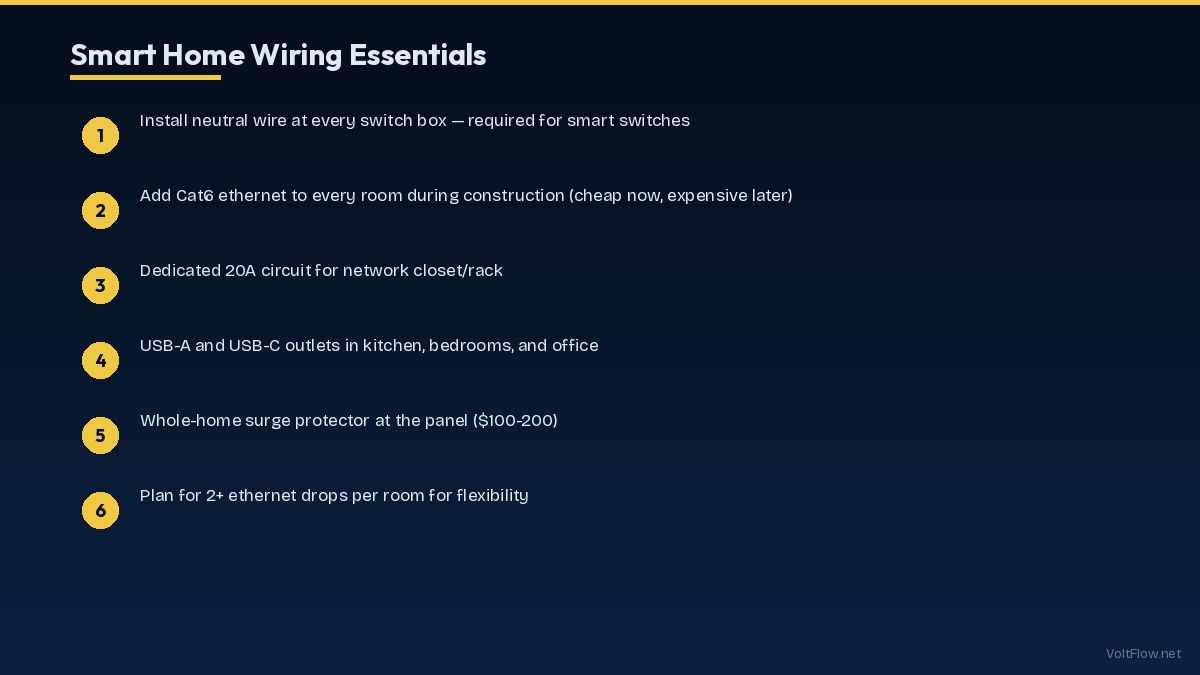
Smart home devices individually draw modest power, but the systems that control them need reliable, clean power. Your smart home hub, whether it is a Hubitat, Home Assistant server, or Samsung SmartThings, should sit on a dedicated 15-amp circuit. Power fluctuations from shared circuits cause hubs to reboot, which drops your entire automation network. Network equipment also needs dedicated power. A typical smart home network rack with a router, two access points, a PoE switch, and a NAS draws 150-300 watts continuously. Put this on its own circuit with an uninterruptible power supply rated at 1,000-1,500 VA. Smart lighting systems like Lutron Caseta or Leviton Decora Smart require neutral wires at every switch box. Homes built before 1985 often lack neutral wires, requiring new cable runs. Budget $150-$300 per switch location for retrofit wiring. Automated motorized shades and blinds need power at the window header. The easiest approach during construction is to run 14/2 Romex to a recessed outlet above each window. Retrofit options include plug-in shades or battery-powered models, though battery units need recharging every three to six months. Security cameras and video doorbells need continuous power. Hardwired cameras on a PoE switch are far more reliable than Wi-Fi cameras on shared circuits. Run Cat6 cable to each camera location during any wall-open renovation. The typical smart home needs six to ten additional circuits beyond what a conventional home uses. Plan for a dedicated circuit for each of these categories: network and hub equipment, security system, garage automation, outdoor lighting controller, smart kitchen appliances, and HVAC smart controls. Each circuit should be clearly labeled in the panel and protected by an appropriate AFCI or GFCI breaker as required by NEC 210.12 and 210.8.
Structured Wiring: The Hidden Infrastructure
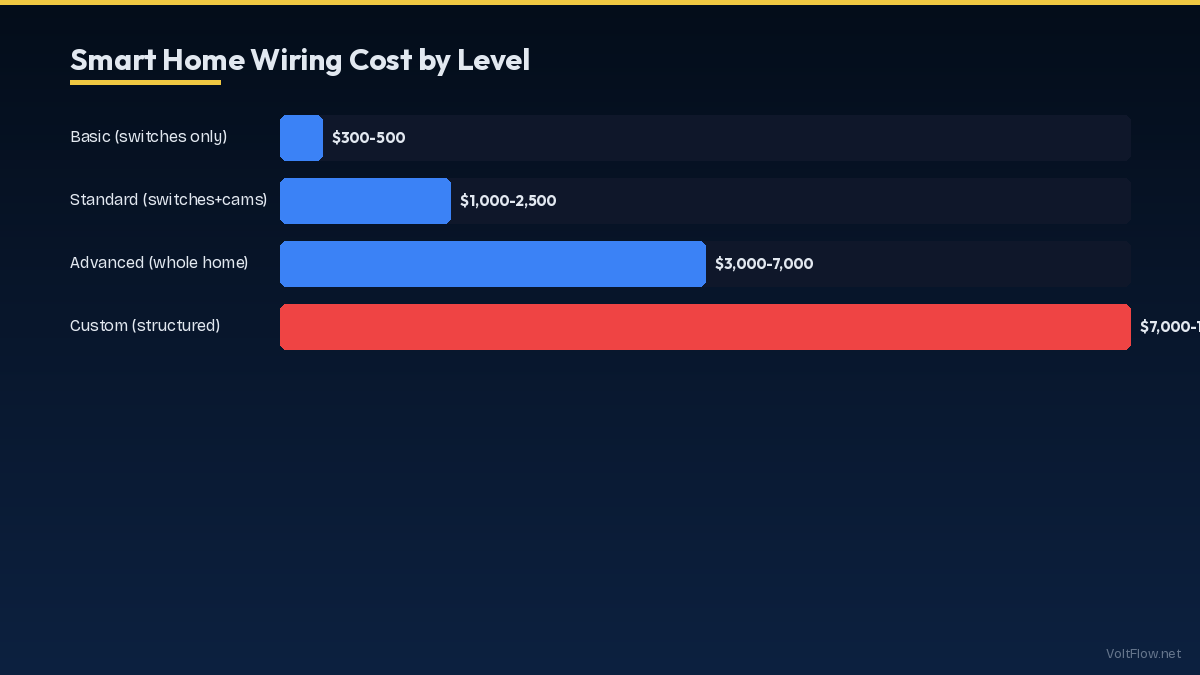
The wiring inside your walls matters as much as the devices on them. Structured wiring means running dedicated low-voltage cables, typically Cat6 Ethernet and RG6 coax, from a central distribution panel to every room. This approach gives you hardwired network connections that are faster and more reliable than Wi-Fi. A basic structured wiring plan includes two Cat6 drops per bedroom, four per living area, one per camera location, and dedicated runs to each wireless access point. Total cable cost for a 2,500-square-foot home runs $400-$800 for materials. Professional installation adds $1,500-$3,000 depending on whether walls are open or need fishing. The central distribution point should be a structured media enclosure, typically a 28-inch or 42-inch wall-mounted cabinet in a utility room or closet. This houses your router, network switch, PoE injector, smart home hub, and patch panel. Make sure this location has a dedicated 20-amp circuit, adequate ventilation, and access to both the attic and basement for cable routing. Conduit is your best friend for future-proofing. Run one-inch conduit between the media panel and key locations like the living room entertainment center, home office, and attic. When new standards emerge, you can pull new cable through existing conduit without opening walls. Wi-Fi mesh systems work well in most homes, but smart home devices perform better on a dedicated network. Set up a separate SSID and VLAN for IoT devices to keep them isolated from your personal computers and phones. This improves both performance and security. PoE, or Power over Ethernet, eliminates the need for power outlets at camera and access point locations. A quality PoE switch like the UniFi USW-Lite-16-PoE provides power and data over a single Cat6 cable. Budget $200-$350 for a PoE switch. Make sure you use Cat6 rated for PoE applications, as cheaper Cat5e can overheat under sustained PoE loads in long runs over 50 meters. If you are building new or doing a major renovation, structured wiring is the single best investment you can make for smart home reliability.
Surge Protection and Power Quality
Smart electronics are sensitive to power surges, voltage sags, and electrical noise. A single lightning-induced surge can destroy thousands of dollars in smart home equipment in milliseconds. The solution is layered surge protection. Start with a whole-house surge protector installed at the main panel. Type 2 surge protective devices from Eaton, Siemens, or Leviton cost $80-$250 for the unit plus $150-$300 for installation. These clamp surges at the point of entry and protect every circuit in the house. Add point-of-use surge protectors at your most expensive equipment. Smart TVs, network racks, and home theater systems should each have a quality surge strip rated for at least 3,000 joules with a response time under one nanosecond. Cheap power strips from the dollar store are not surge protectors regardless of what the packaging says. Look for UL 1449 rated devices from brands like Tripp Lite, APC, or Panamax. Uninterruptible power supplies handle the other side of the problem: momentary outages and brown-outs. Your network equipment and smart home hub should sit on a UPS that provides 15-30 minutes of battery runtime. This keeps your automations running through brief power interruptions and gives your systems time to shut down gracefully during extended outages. Choose a pure sine wave UPS, not a simulated sine wave model, as many smart devices and networking equipment can malfunction on simulated sine wave power. Power quality also depends on proper grounding. The NEC requires a grounding electrode system that includes ground rods and metallic water pipe bonds. Smart homes should verify ground impedance is below 25 ohms and ideally below 5 ohms. Poor grounding causes noise, interference, and unreliable sensor readings. Whole-home battery systems like the Tesla Powerwall or Enphase IQ provide the ultimate power quality solution by isolating your home from grid disturbances during outages. These systems range from $10,000 to $18,000 installed but serve triple duty as backup power, surge isolation, and solar storage. If you already have or plan to add solar panels, a battery system is the natural complement to a fully automated smart home.
NEC 2026 Code Requirements for Smart Homes
The National Electrical Code updated several requirements that directly affect smart home installations. Understanding these codes ensures your work passes inspection and keeps your family safe. NEC 210.12 now requires AFCI protection in virtually all living spaces including kitchens, laundry rooms, and finished basements. Smart homes with dozens of circuits need AFCI breakers on each one, which adds $25-$40 per circuit compared to standard breakers. Some smart dimmers and switches can cause nuisance tripping on AFCI circuits. Lutron and Leviton have tested their smart switches for AFCI compatibility, but lesser-known brands may trip breakers randomly. Stick with major brands and verify AFCI compatibility before buying. NEC 210.8 expanded GFCI requirements to include 250-volt circuits in areas like garages and basements where you might install EV chargers or workshop equipment. If you are adding a Level 2 EV charger in the garage, it needs GFCI protection on the 240-volt circuit. GFCI breakers for 240-volt circuits cost $50-$80 each. NEC 406.12 requires tamper-resistant receptacles throughout the home. This applies to every outlet you add or replace during a smart home project. Tamper-resistant outlets cost only $1-$2 more than standard outlets and are non-negotiable for code compliance. For outdoor smart home installations like landscape lighting controllers, security cameras, and smart locks, NEC 406.9 requires weather-resistant and in-use covers on all outdoor outlets. The cover must protect the outlet while a cord is plugged in, not just when the outlet is empty. Budget $10-$20 per outdoor outlet for compliant covers. Low-voltage wiring for network cables, speaker wire, and security systems is governed by NEC Article 725 and 800. While low-voltage work often does not require a permit, it must maintain proper separation from high-voltage wiring. Cat6 cables should maintain at least two inches of separation from Romex runs and should cross power cables at 90-degree angles to minimize interference. Many jurisdictions now require permits for smart panel installations, whole-house surge protectors, and any work that modifies the main service panel. Check with your local building department before starting work. Pulling permits costs $50-$200 but protects your homeowner insurance coverage and ensures the work is inspected.
Smart Home Electrical Budget and Planning Checklist
Planning a smart home electrical upgrade requires balancing your wish list against a realistic budget. Here is what each component typically costs in 2026. A 200-amp panel upgrade runs $1,800-$3,500 for standard panels or $4,000-$6,500 for smart panels like Span. Adding 6-10 dedicated circuits for smart home systems costs $200-$350 per circuit, totaling $1,200-$3,500. Structured wiring with Cat6 to every room plus a media enclosure runs $2,000-$5,000 for a typical home. Whole-house surge protection costs $250-$500 installed. UPS units for network and hub equipment add $200-$500. Outdoor rated outlets and weatherproof boxes for cameras and landscape lighting run $100-$200 per location. The total electrical infrastructure cost for a comprehensive smart home ranges from $5,000 to $15,000 depending on your starting point and scope. Homes needing a panel upgrade and full structured wiring sit at the higher end. Homes with existing 200-amp service and some network wiring can get started for $3,000-$5,000. Prioritize your spending in this order for maximum impact. First, upgrade your panel if needed because everything else depends on having adequate capacity. Second, install structured wiring during any wall-open renovation because retrofit wiring costs three to four times more. Third, add dedicated circuits for your hub, network, and security systems. Fourth, install surge protection and UPS units. Fifth, add smart switches, outlets, and automation controllers. Hire a licensed electrician for all high-voltage work. Low-voltage wiring like Cat6 and coax can be a DIY project if you are comfortable pulling cable, but have an electrician verify that your runs maintain proper separation from power wiring. Always get at least three quotes for major electrical work and verify that your electrician is familiar with smart home systems, not just traditional residential wiring. The investment in proper electrical infrastructure pays dividends for years. Devices work reliably, automations run without glitches, and you avoid the frustrating cycle of troubleshooting problems that stem from inadequate power and networking infrastructure. A well-planned electrical system is invisible, which is exactly how a smart home should feel.